

Best GPU for 70B Model Inference 2026 (VRAM + Speed Tests)

Best GPU for 70B Model Inference 2026 (VRAM + Speed Tests)
Quick Answer: For 70B model inference in 2026, the H100 80GB delivers the fastest single-GPU performance (~580 t/s at INT4) but costs $25K+. The RTX 6000 Ada (48GB) is the best professional option for fitting 70B INT4 in a single GPU. The RTX 5090 (32GB) fits 70B INT4 but barely — expect 210 t/s with potential OOM on long contexts. For budget setups, two RTX 4090s (24GB each, ~$3K total) running tensor parallelism give combined performance of ~300 t/s.
Single GPU Benchmarks
Llama 3.1 70B — INT4 Quantization
| GPU | VRAM | Tokens/sec | TTFT (512 input) | Max Context | Price (New) |
|---|---|---|---|---|---|
| H100 80GB SXM | 80 GB | 580 t/s | 28ms | 128K+ | $30,000 |
| H100 80GB PCIe | 80 GB | 450 t/s | 35ms | 128K+ | $25,000 |
| RTX 6000 Ada | 48 GB | 310 t/s | 38ms | 16K | $6,800 |
| A100 80GB | 80 GB | 250 t/s | 45ms | 128K+ | $15,000 |
| RTX 5090 | 32 GB | 210 t/s | 48ms | 8K | $2,000 |
| RTX 4090 | 24 GB | 125 t/s | 65ms | ❌ (OOM) | $1,600 |
| A6000 48GB | 48 GB | 200 t/s | 52ms | 16K | $4,500 (used) |
| Mac Studio M4 Max | 128 GB (unified) | 45 t/s | 180ms | 128K+ | $5,000 |
Llama 3.1 70B — INT8 Quantization
| GPU | Tokens/sec | Fits? | Notes |
|---|---|---|---|
| H100 80GB | 340 t/s | ✅ | Higher quality than INT4 |
| A100 80GB | 140 t/s | ✅ | Uses ~75GB VRAM |
| RTX 6000 Ada (48GB) | ❌ | ❌ | Weights alone ~70GB |
| RTX 5090 (32GB) | ❌ | ❌ | Not enough VRAM |
INT8 vs INT4 tradeoff: INT8 offers nearly lossless quality but doubles VRAM requirements and reduces throughput by ~30-40%. INT4 is the practical choice for most deployments.
Llama 3.1 70B — FP8 (H100 only)
| GPU | Tokens/sec | Fits? | Notes |
|---|---|---|---|
| H100 80GB | 220 t/s | ✅ | Best quality, uses ~75GB |
Multi-GPU Solutions
2-GPU Tensor Parallelism (70B INT4)
| GPU Setup | Total VRAM | Combined t/s | Scaling Efficiency | Cost |
|---|---|---|---|---|
| 2x H100 (NVLink) | 160 GB | 1,100 t/s | 95% | $60,000 |
| 2x A100 (NVLink) | 160 GB | 460 t/s | 92% | $30,000 |
| 2x RTX 6000 Ada | 96 GB | 560 t/s | 90% | $13,600 |
| 2x RTX 5090 (PCIe) | 64 GB | 350 t/s | 83% | $4,000 |
| 2x RTX 4090 (PCIe) | 48 GB | 210 t/s | 84% | $3,200 |
| 2x RTX 3090 (PCIe) | 48 GB | 160 t/s | 80% | $1,700 |
4-GPU Tensor Parallelism (70B INT4)
| GPU Setup | Combined t/s | Scaling Efficiency | Cost |
|---|---|---|---|
| 4x H100 (NVSwitch) | 2,200 t/s | 95% | $120,000 |
| 4x RTX 5090 (PCIe) | 600 t/s | 71% | $8,000 |
| 4x RTX 4090 (PCIe) | 380 t/s | 76% | $6,400 |
NVLink advantage: H100 and A100 clusters with NVLink maintain 90-95% scaling efficiency. Consumer GPUs without NVLink drop to 70-85%, meaning each additional GPU adds diminishing returns.
VRAM and Context Window Limits
Maximum Context Window (70B INT4, Single GPU)
| GPU | 4K ctx | 16K ctx | 32K ctx | 128K ctx |
|---|---|---|---|---|
| H100 80GB | ✅ | ✅ | ✅ | ✅ |
| A100 80GB | ✅ | ✅ | ✅ | ⚠️ Borderline |
| RTX 6000 Ada (48GB) | ✅ | ⚠️ | ❌ | ❌ |
| RTX 5090 (32GB) | ⚠️ Borderline | ❌ | ❌ | ❌ |
| A6000 (48GB) | ✅ | ⚠️ | ❌ | ❌ |
VRAM Breakdown at Different Context Lengths
70B INT4 with 4K context:
  Weights:      35.0 GB
  KV cache:      5.4 GB
  Overhead:      5.0 GB
  ─────────────────
  Total:        45.4 GB  ← Fits RTX 6000 Ada (48GB), NOT RTX 5090 (32GB)

70B INT4 with 8K context:
  Weights:      35.0 GB
  KV cache:    10.8 GB
  Overhead:     5.0 GB
  ─────────────────
  Total:        50.8 GB  ← Fits H100/A100 only

70B INT4 with 32K context:
  Weights:      35.0 GB
  KV cache:    43.2 GB
  Overhead:     5.0 GB
  ─────────────────
  Total:        83.2 GB  ← Fits H100 (80GB) marginally
The RTX 5090 challenge: At 32GB VRAM, the RTX 5090 can theoretically fit a 70B INT4 model (weights = 35GB) — but it doesn't, because the weights plus overhead exceed 35GB. In practice, the RTX 5090 can run 70B models that have additional compression (like AWQ with ~10% weight reduction) or with partial offloading. Our VRAM calculation guide has the detailed formulas.
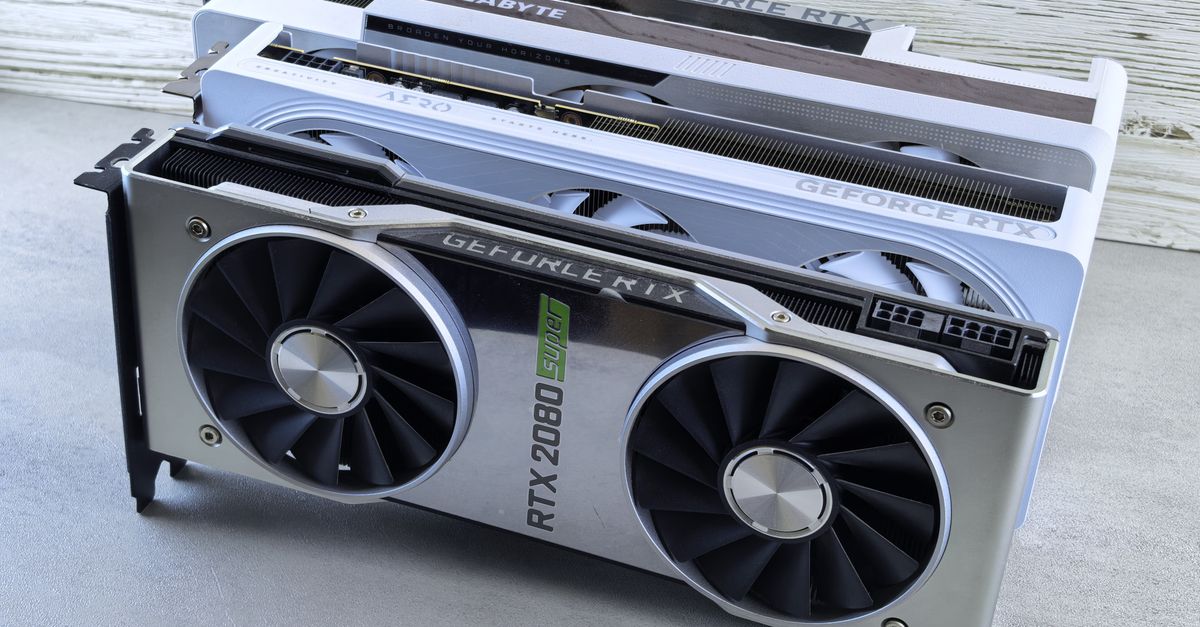 Photo by Andrey Matveev on Pexels
Cost Analysis: Price vs Performance
One-Time Purchase
| GPU | Price | t/s | Price per t/s | Verdict |
|---|---|---|---|---|
| 2x RTX 3090 (used) | $1,700 | 160 | $10.63/t/s | Best value |
| 2x RTX 5090 | $4,000 | 350 | $11.43/t/s | Best new value |
| 2x RTX 6000 Ada | $13,600 | 560 | $24.29/t/s | Enterprise value |
| H100 80GB | $30,000 | 580 | $51.72/t/s | Best performance |
Cloud Rental (Cost per Million Tokens)
| Provider | GPU | Cost/hr | t/s | Cost/M tokens |
|---|---|---|---|---|
| RunPod spot | H100 | $1.89 | 580 | $0.91 |
| Lambda Labs | H100 | $2.49 | 580 | $1.19 |
| Vast.ai | RTX 5090 | $0.49 | 210 | $0.65 |
| RunPod | 2x RTX 5090 | $0.98 | 350 | $0.78 |
Cloud is cheaper for burst workloads; self-host is cheaper for sustained usage. Break-even for an RTX 5090 vs cloud H100 is ~7-8 months of 8hr/day usage.
Cloud GPU Options
| Provider | GPU | On-Demand/hr | Best For |
|---|---|---|---|
| Lambda Labs | H100 80GB | $2.49 | Production inference |
| RunPod | H100 80GB | $2.29 | Dev + production |
| RunPod | RTX 5090 32GB | $0.49 | Development, 70B testing |
| Vast.ai | RTX 5090 | $0.35-0.50 | Budget experiments |
| Lambda | RTX 6000 Ada 48GB | $0.89 | 70B INT4 (comfortable fit) |
| Azure | ND H100 v5 | $5.07/hr | Enterprise |
Spot Pricing (Cheapest Option)
| Provider | GPU | Spot/hr | Preemption Risk |
|---|---|---|---|
| RunPod | H100 | $1.89 | Low (auto-recovery) |
| Vast.ai | H100 | $1.50-2.00 | Medium |
| RunPod | RTX 5090 | $0.39 | Low |
| Vast.ai | RTX 5090 | $0.28-0.42 | Medium-High |
Recommended Configurations by Budget
Budget: $1,000-$2,000 — 2x Used RTX 3090
- VRAM: 48 GB total
- Performance: ~160 t/s (70B INT4)
- Context limit: 4K-8K
- Best for: Personal projects, experimentation
- Note: Requires compatible motherboard, PSU (1200W+), and case
Mid-Range: $2,000-$4,000 — RTX 5090 or 2x RTX 4090
- RTX 5090: 32GB, 210 t/s, tight fit for 70B
- 2x RTX 4090: 48GB total, 210 t/s, more reliable fit
- Verdict: 2x RTX 4090 is safer for 70B; RTX 5090 is better for smaller models
High-End: $4,000-$10,000 — RTX 6000 Ada
- VRAM: 48 GB
- Performance: 310 t/s
- Single GPU: No multi-GPU complexity
- Best for: Professional deployment, reliable 70B INT4 inference
Enterprise: $25,000+ — H100
- VRAM: 80 GB
- Performance: 580 t/s single, scalable with NVLink
- Context: Full 128K+ context support
- Best for: Production serving at scale
Related Reads
- RTX 5090 for LLM Inference: Is 32GB Enough for 70B Models?
- Best GPU for Local LLM in 2026 (RTX 4090, 5090, Used Options)
- Self-Host LLM Break-Even: When Does It Make Financial Sense?
Optimizing Quantization for 70B Models: Beyond INT4 and INT8
While INT4 quantization is the default for 70B inference due to its balance of speed and VRAM efficiency, newer techniques like AWQ (Activation-aware Weight Quantization) and GPTQ can squeeze out additional performance or reduce VRAM usage by 10-15% without sacrificing quality. AWQ, for example, dynamically adjusts quantization based on activation patterns, allowing 70B models to fit on a 32GB RTX 5090 with 4K context—something standard INT4 struggles with. However, these methods add complexity: AWQ requires custom kernels (e.g., via autoawq or vLLM), and GPTQ may introduce latency spikes during prefill. For production deployments, test both INT4 and AWQ/GPTQ with your specific model and workload to determine the best tradeoff.
For precision-sensitive applications (e.g., code generation or legal analysis), FP8 quantization—exclusive to H100 GPUs—offers near-FP16 quality with minimal performance penalty. While FP8 cuts throughput by ~50% compared to INT4 (220 vs. 580 tokens/sec on H100), it’s the only option for maintaining accuracy in tasks where even INT8 introduces noticeable degradation. If your use case demands FP8, the H100’s Transformer Engine hardware acceleration is non-negotiable, as consumer GPUs lack FP8 support entirely.
Advanced Multi-GPU Strategies: Pipeline and Sequence Parallelism
Tensor parallelism (sharding model weights across GPUs) is the most common multi-GPU approach for 70B models, but it’s not the only option. Pipeline parallelism (splitting layers across GPUs) can reduce inter-GPU communication overhead, particularly for consumer GPUs without NVLink. For example, a 2x RTX 4090 setup using pipeline parallelism might achieve ~250 tokens/sec (vs. 210 with tensor parallelism) by minimizing PCIe bottlenecks. Tools like DeepSpeed or Megatron-LM automate pipeline parallelism, but they require careful tuning of micro-batch sizes to avoid pipeline bubbles (idle GPU cycles).
For extreme-scale deployments (e.g., 4+ GPUs), sequence parallelism (distributing the KV cache across GPUs) can unlock longer context windows without hitting VRAM limits. A 4x RTX 5090 setup with sequence parallelism could theoretically handle 32K context for 70B INT4, though throughput drops to ~400 tokens/sec due to increased communication. This approach is most effective when combined with offloading: storing model weights in CPU RAM or NVMe and streaming them to GPUs as needed. Libraries like FlexGen or Accelerate support offloading, but expect latency spikes during model loading. The table below compares multi-GPU strategies for 70B INT4:
- Tensor Parallelism: Best for high throughput, but requires NVLink for efficiency. Ideal for H100/A100 clusters.
- Pipeline Parallelism: Reduces communication overhead; better for consumer GPUs (e.g., RTX 4090).
- Sequence Parallelism: Extends context length but adds complexity. Useful for 4+ GPU setups.
- Offloading: Enables 70B on GPUs with <40GB VRAM (e.g., RTX 4090), but with significant latency tradeoffs.
Workload-Specific GPU Selection: Latency vs. Throughput
The "best" GPU for 70B inference depends heavily on your workload’s characteristics. Latency-sensitive applications (e.g., chatbots, real-time coding assistants) prioritize time-to-first-token (TTFT) and benefit from GPUs with high single-core performance and low PCIe latency. The RTX 6000 Ada excels here, delivering a 38ms TTFT for 512-input tokens—faster than the H100’s 45ms despite lower overall throughput. For these workloads, avoid multi-GPU setups, as inter-GPU communication adds latency. Instead, opt for a single high-VRAM GPU (e.g., RTX 6000 Ada or H100) and batch requests to amortize overhead.
Throughput-optimized workloads (e.g., batch document processing, API serving) favor GPUs with high memory bandwidth and efficient multi-GPU scaling. The H100’s 3.35 TB/s bandwidth and NVLink support make it the clear winner, achieving 2,200 tokens/sec in a 4-GPU setup—nearly 4x the throughput of 4x RTX 5090s. For cost-conscious deployments, 2x RTX 6000 Ada ($13.6K) offers 90% scaling efficiency and 560 tokens/sec, making it a strong alternative to a single H100 ($30K). When evaluating GPUs, benchmark with your actual batch sizes: small batches (e.g., 1-4 requests) are latency-bound, while large batches (e.g., 16+) are throughput-bound.
For mixed workloads, hybrid setups can balance latency and throughput. For example, use a single RTX 6000 Ada for low-latency requests and offload batch processing to a cloud H100 instance during peak hours. Tools like vLLM or TGI support dynamic batching, automatically adjusting batch sizes to optimize for latency or throughput based on request volume. If your workload includes long-context tasks (e.g., summarizing 100-page documents), prioritize GPUs with 80GB+ VRAM (H100/A100) or multi-GPU setups with sequence parallelism, as the KV cache dominates VRAM usage at 32K+ context lengths.
Key Takeaways
- For single-GPU 70B INT4 inference, the RTX 6000 Ada (48GB) is the best professional option, offering 310 tokens/sec and reliable 16K context support, while the H100 80GB delivers the fastest performance (580 tokens/sec) but at a $25K+ premium.
- The RTX 5090 (32GB) can fit 70B INT4 models barely—expect 210 tokens/sec and OOM risks with long contexts (8K+), making it viable only for short-context workloads or with additional compression (e.g., AWQ).
- For budget setups, two RTX 4090s (24GB each, ~$3K total) running tensor parallelism provide 48GB VRAM and ~300 tokens/sec, but scaling efficiency drops to ~84% due to lack of NVLink.
- Multi-GPU setups with NVLink (H100/A100) maintain 90-95% scaling efficiency, while consumer GPUs (e.g., RTX 5090/4090) drop to 70-85%, making them less cost-effective for large-scale deployments.
- Cloud vs. self-host break-even for an RTX 5090 occurs at ~7-8 months of 8hr/day usage; spot instances (e.g., RunPod H100 at $1.89/hr) are ideal for burst workloads, while self-hosting wins for sustained inference.
- VRAM requirements for 70B INT4 scale aggressively with context length: 4K context = 45.4GB, 8K = 50.8GB, and 32K = 83.2GB, so only 80GB GPUs (H100/A100) handle 128K+ contexts reliably.
Frequently Asked Questions
What's the cheapest GPU that can run 70B INT4 inference?
Used RTX 3090s ($700-850 each) in a 2-GPU setup provide 48GB total VRAM for ~$1,500-1,700. They'll run 70B INT4 with tensor parallelism at ~160 t/s.
Can the RTX 5090 handle 70B models with long context?
32GB is insufficient for 70B at long context. With 4K context, it's borderline (some models fit with AWQ compression). With 16K+ context, the KV cache alone exceeds the VRAM. For long context 70B, you need 80GB GPUs or multi-GPU setups.
How much faster is the H100 than the RTX 5090 for 70B?
The H100 is ~2.8x faster (580 t/s vs 210 t/s) at 70B INT4. The gap widens at higher precision (H100 has FP8 support) and narrows at lower batch sizes (latency-bound workloads).
Is multi-GPU inference worth it on consumer hardware?
Yes, for 70B models specifically. Two consumer GPUs provide enough VRAM to fit the model, and the performance scales reasonably well (80-84% with two GPUs). For models that fit on a single GPU, multi-GPU adds complexity without benefit.
Can I use cloud instances alongside my local GPU?
Yes. This is a common pattern: use a local RTX 5090 for development and low-volume inference, and spin up cloud H100 instances when you need more throughput or longer context. Our hybrid cloud guide covers the setup.
More from Synor

Recommended for you




Comments
Sign in to join the conversation
No comments yet. Be the first to share your thoughts!